
(Core Recruitment Process)
View Applicants
By clicking the 'Jobs have applicants for review' link within the Applications tile on the dashboard, you will see a list of jobs assigned to you. Click 'View applicants' to see the applications for a specific job.
 Back to top
Disposition Candidates
Once you have determined a selection outcome, use the dropdown menu to move the candidate to a new application status.
 Back to top
Disposition Multiple Candidates
You can set selection outcomes for multiple candidates and save the changes by clicking the submit button which will appear in a bar at the top of the listing.
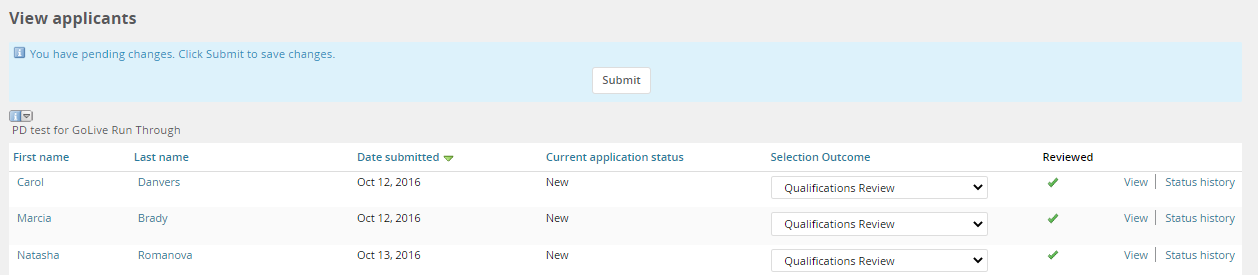
Upon submission, applicants will advance to the next status and any automatic communications will be sent (see below).

When an applicant advances, a new set of selection outcomes become available.

Applicants who have been selected not to move forward can no longer be advanced through selection outcomes. A reason for not advancing is required.
 Back to top
Statuses that Send an Email
- New
- Not Considered, Did not Progress
- Reviewed, Did not Progress
- Reference Check
- Contingent Offer Accepted
Statuses that Allow Search Committee Access
core recruitment process | faculty recruitment process |
|---|---|
Qualifications Review First Interview Second Interview Third Interview Fourth Interview
| Initial Committee Review Shortlisted Reference Letter Requested (Online Form) Reference Letter Requested (Offline) First Interview Second Interview Campus Visit Interview (Additional, As Needed) Finalist(s) |
Back to top